
Overview
-
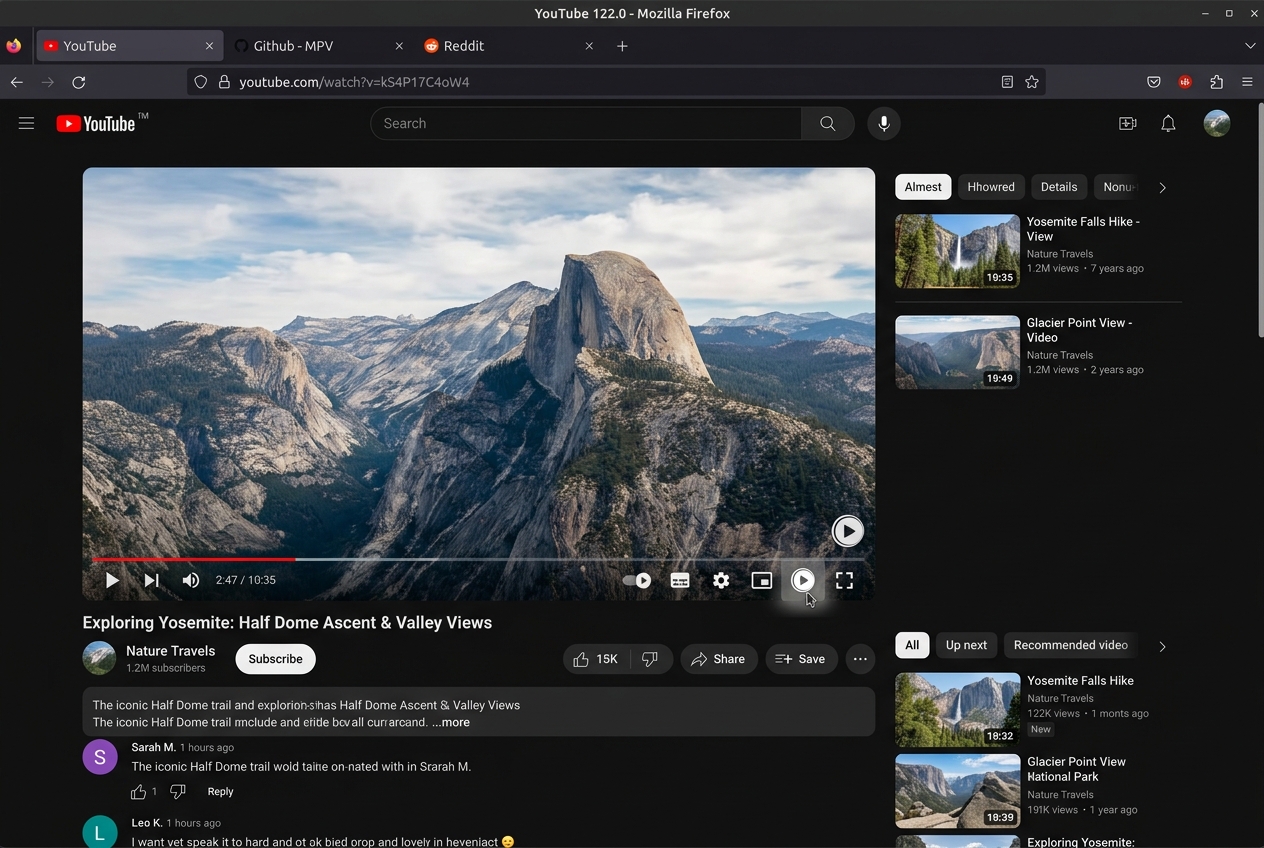
YouTube Controls Button: Injects a sleek Play button into YouTube watch and Shorts player controls. Resumes playback in MPV at the exact current second and automatically pauses the browser video.
-
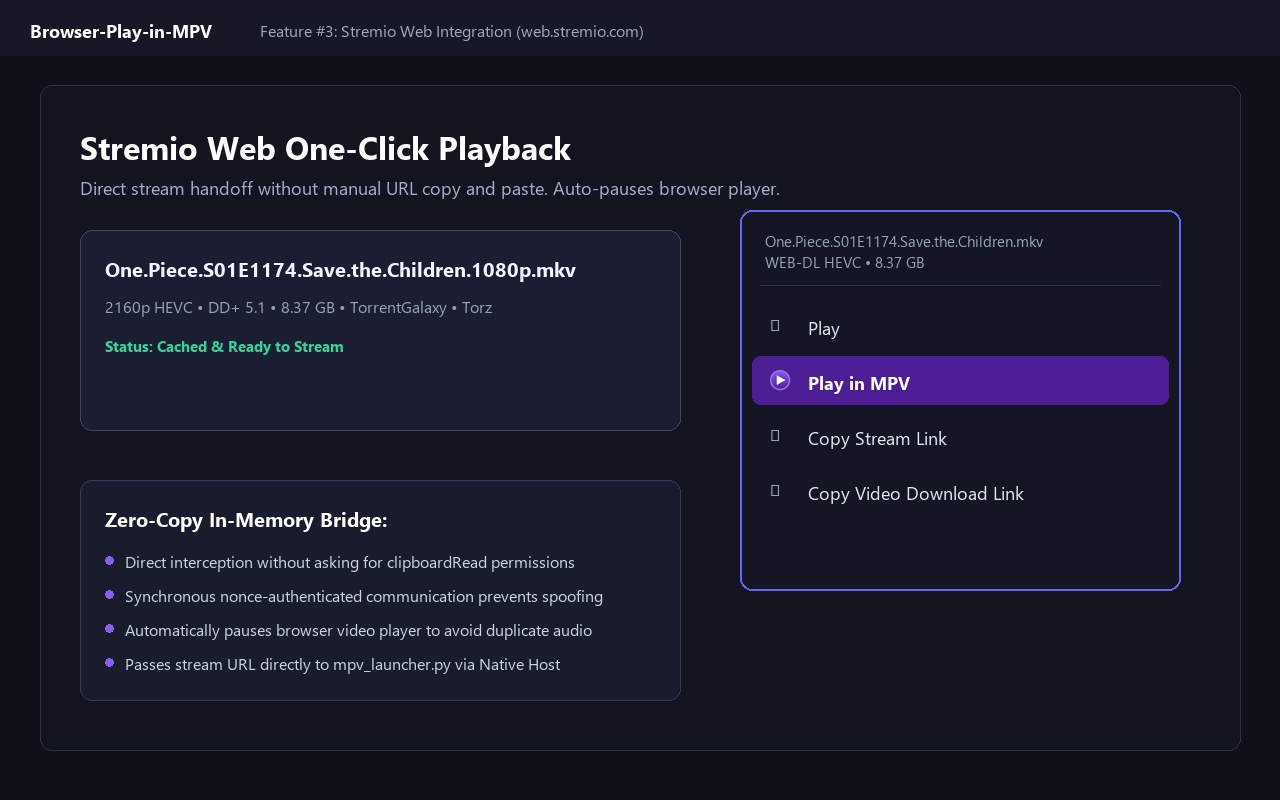
Stremio Web Integration: Adds a native "Play in MPV" option directly inside stream menus on
web.stremio.com. Auto-pauses the web player and streams with zero manual copy-pasting. -
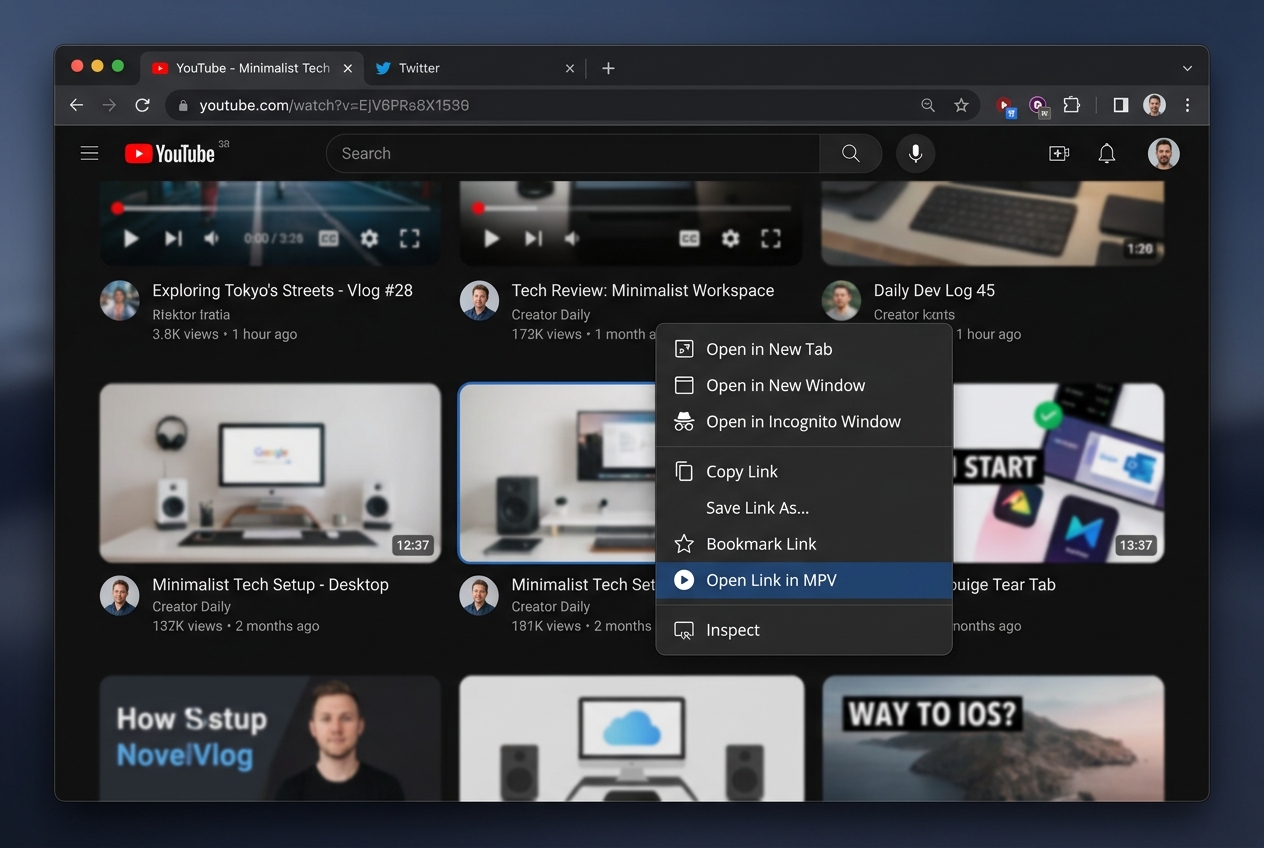
Universal Context Menu: Right-click any video, audio element, hyperlink, or selected URL to open it in MPV instantly.
-
Zero Background Daemon: Communicates via Chrome's Native Messaging API (stdin/stdout). No open network ports, no background web server, and zero persistent RAM usage.
-
Full Config & Cookies Inheritance: Passes canonical URLs directly to MPV, utilizing your existing
yt-dlp.conf, authenticated cookies, and HDR tone-mapping settings.
Installation & Setup Guide
-
1Load Unpacked Extension (Chrome Web Store coming soon)
Open
chrome://extensions(orbrave://extensions/edge://extensions/opera://extensions) and toggle Developer mode in the top-right corner. Click Load unpacked and select the extension folder:Copy the 32-character Extension ID shown on the extension card. (The official Chrome Web Store one-click install will be available as soon as review completes).Browser-Play-in-MPV\extension -
2Register the Native Messaging Host
Run the one-time registration script. Writes safely to Current User registry (
HKCU) without requiring Administrator rights:Select option 1 (Install), paste your Extension ID when prompted, and press Enter.Browser-Play-in-MPV\mpv_native_host\Install_Native_Host.bat -
3Verify Diagnostic Self-Test
Run the test command in PowerShell to ensure Python and MPV are detected properly:
Expected response:python "Browser-Play-in-MPV\mpv_native_host\mpv_launcher.py" --test{"success": true, "mpv_path": "C:\\Program Files\\mpv\\mpv.exe"}
-
1Install MPV & Python 3
Ensure
mpvandpython3are available on your system PATH via your package manager (brew install mpvorapt install mpv python3). -
2Load Unpacked Extension in Browser
Open
chrome://extensions, toggle Developer mode, click Load unpacked, and selectBrowser-Play-in-MPV/extension. Copy your Extension ID. -
3Copy Native Messaging Host Manifest
Copy
com.biraj.play_in_mpv.jsonto your browser's native messaging directory:macOS:~/.config/google-chrome/NativeMessagingHosts/~/Library/Application Support/Google/Chrome/NativeMessagingHosts/
Visual Showcase
Click any screenshot to preview in full resolution.
Security & Privacy Assurance
Play in MPV is engineered with a strict Zero Telemetry, Zero Data Collection architecture. Communication operates entirely on your local machine using Chromium's sandboxed Native Messaging IPC:
No telemetry pings, no analytics SDKs, and 0 bytes transmitted remotely. The extension operates completely offline; media URLs are relayed purely between your active browser tab and local MPV.
The extension never reads, stores, or accesses browser cookies, tokens, or account passwords. Authenticated streams (e.g. YouTube members) are resolved directly by MPV via your private on-disk yt-dlp.conf.
Unlike alternative tools that run an unauthenticated local HTTP server (which exposes your computer to cross-origin port-scanning and CSRF exploits from malicious browser tabs), Play in MPV communicates strictly over OS standard I/O pipes (stdin/stdout).
mpv_launcher.py strictly validates URL protocols (http, https, magnet, file) and invokes MPV using parameter isolation with the standard -- argument delimiter guard to block rogue CLI flags.
Built for Chrome Manifest V3 event-driven execution. No persistent background process remains loaded in RAM. The background service worker spins up only upon user action and unloads immediately after process handoff.
Isolated Native Messaging Architecture Flow:
Tested Environments & Hardware Details
Extensively verified across diverse hardware testbenches, operating systems, and browser builds to ensure immediate process spawning, zero dropped frames, and 100% reliable IPC handoff:
- Operating System: Windows 11 Pro 64-bit (24H2 / 23H2)
- Processor: AMD Ryzen 7 5800X (8 Cores, 16 Threads, 4.7 GHz Boost)
- GPU & Video Engine: NVIDIA GeForce RTX 4070 (Vulkan API, NVDEC hardware decode)
- Display Environment: 4K UHD 144Hz (HDR10, libplacebo tone-mapping active)
- Cold Handoff Latency: ~0.12s from browser click to active MPV window
- Verification Status: Passed • Zero frame drops on 4K60 HDR YouTube & Stremio streams
- Operating System: Windows 11 Home / Ubuntu 24.04 LTS (Dual-Boot)
- Processor: Intel Core i5-1240P (12 Cores, 16 Threads, Iris Xe)
- GPU & Video Engine: Intel Iris Xe Graphics (d3d11va / vaapi hardware decode)
- Display Environment: 1080p 60Hz SDR, low-power battery profile
- Cold Handoff Latency: ~0.18s from browser click to active MPV window
- Verification Status: Passed • 0 MB idle background RAM footprint, zero battery drain
Google Chrome (v120 - v131+), Brave (v1.60+ with Shields), Microsoft Edge (v120+), Vivaldi, and Chromium Manifest V3 runtimes.
MPV v0.37.0+, v0.38.0+, v0.39.0-git (shinchiro / zhongfly builds) with gpu-next, Python 3.9 - 3.12+ (zero pip deps), and yt-dlp 2024.08+.
YouTube Standard Player & Shorts (exact timestamp pause/resume), Stremio Web (auto-pause on stream launch), direct MP4, WebM, HLS m3u8, and magnet links.
Credits & Acknowledgements
Play in MPV builds upon foundational open-source tools, extensions, and projects across the multimedia ecosystem:
Author of the original play-in-mpv extension, pioneering lightweight browser-to-mpv Native Messaging workflows.
github.com/baldomo/play-in-mpv →The industry-leading, scriptable media player delivering pristine playback via gpu-next and libplacebo color management.
mpv.io →The premier command-line audio/video downloader and streaming resolver utilized by MPV for online media streams.
github.com/yt-dlp/yt-dlp →Author of biraj-mpv-conf. Built YouTube Shorts integration, Stremio Web hooks, timestamp auto-pause, and Windows registry installers.
github.com/Biraj2004/biraj-mpv-conf →Frequently Asked Questions
yt-dlp.conf and exported cookie file (e.g., --cookies).python mpv_launcher.py --test in PowerShell to verify MPV detection. If the notification says "Native host not installed", re-run Install_Native_Host.bat and paste your extension ID.