A balanced configuration combining cutting-edge video decoding, audio dynamics, and minimalist user experience.
Next-Gen GPU Rendering
Powered by vo=gpu-next with libplacebo, Direct3D11 flip presentation (d3d11-flip=yes), borderless fullscreen (d3d11-exclusive-fs=no) for flicker-free fixed refresh rate & 0ms instant Alt-Tab, and debanding.
HDR10 & Dolby Vision Tone-Mapping
Dynamically tone-maps HDR10 and Dolby Vision (Profiles 5 & 8) to SDR on standard displays without washed-out colors. Flawless 0 frame drops on standard files; heavy 60GB+ dual-layer Blu-ray REMUX files stabilize with minor initial buffering and some loss of frames.
Natural Ascending Playlist Sort
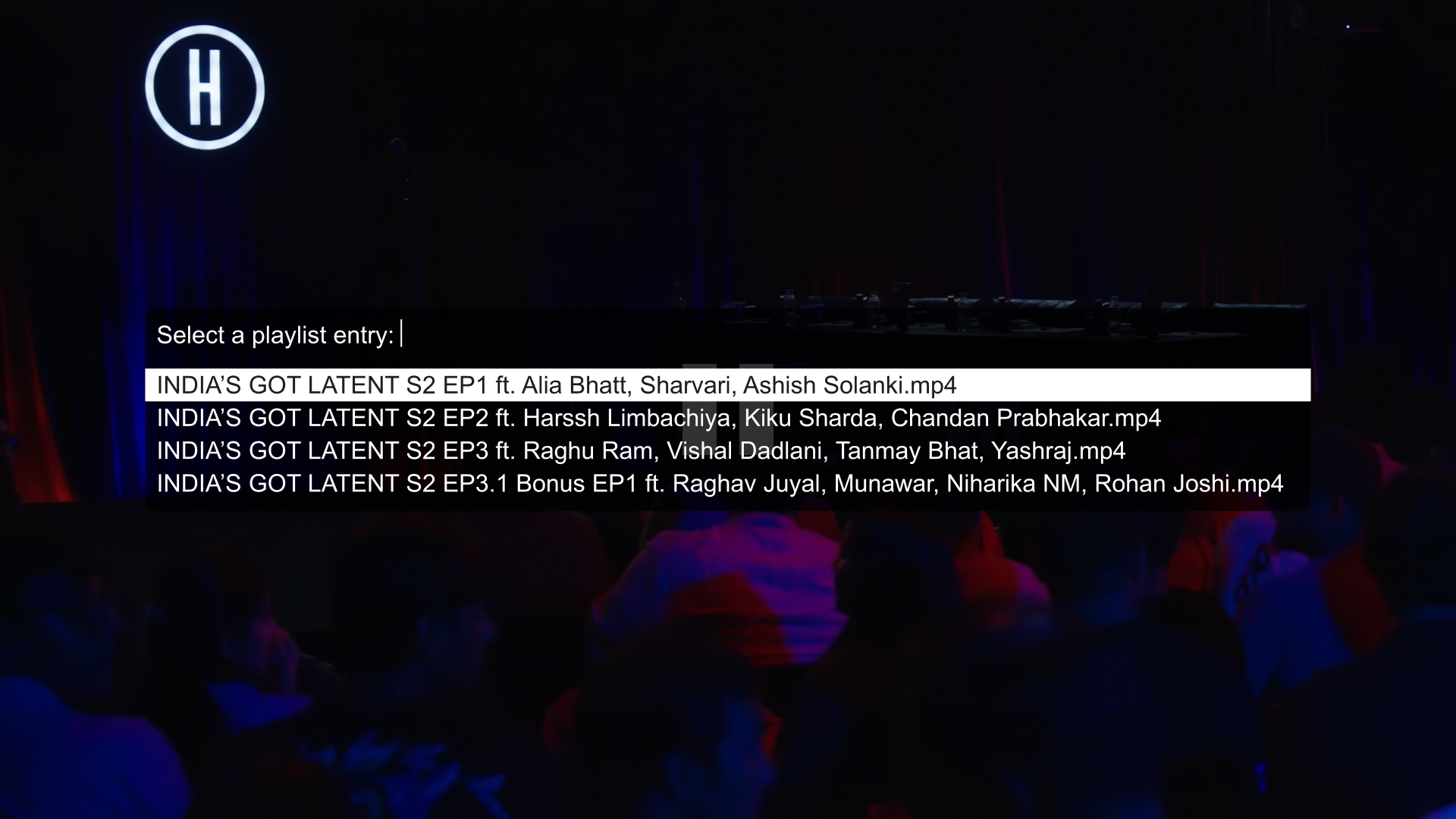
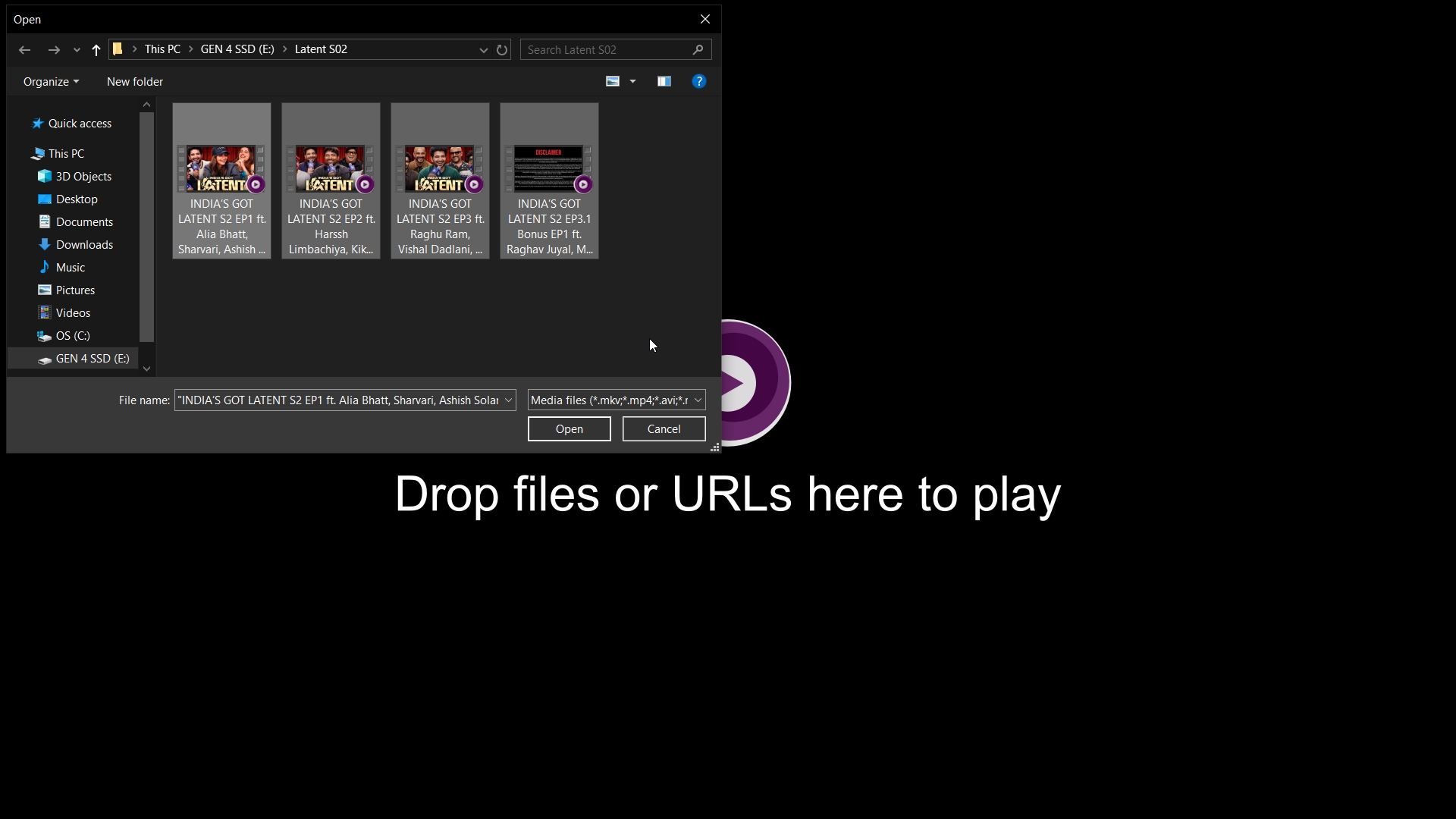
Dropping or opening multiple episodes automatically sorts them in natural alphanumeric sequence (E1 → E2 → E10). Preserves playback of the clicked episode seamlessly.
Fast Seekbar Hover Thumbnails
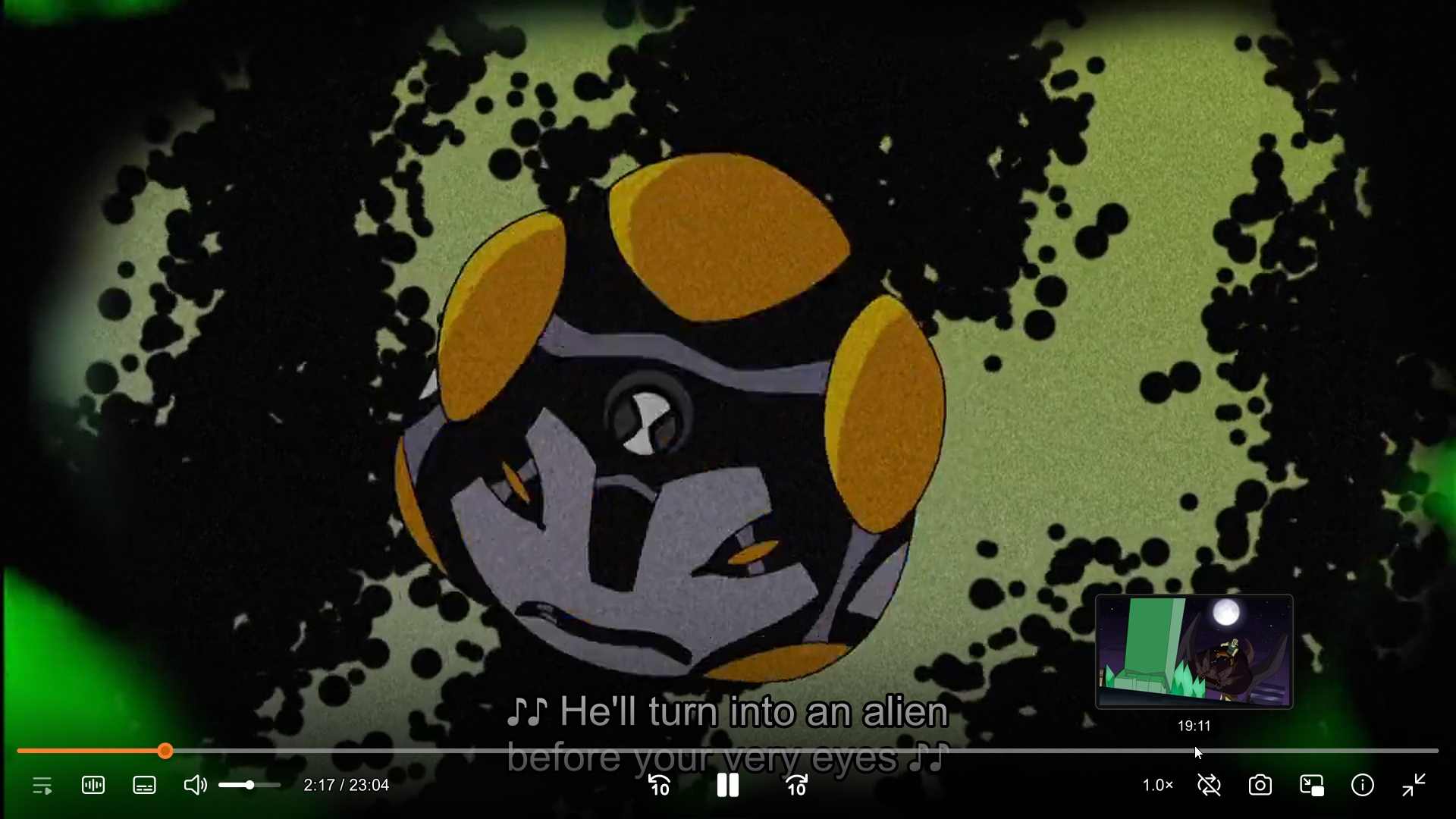
Integrated with thumbfast to provide real-time, zero-lag visual preview thumbnails while hovering or scrubbing along the seekbar.
Refined Subtitle Typography & SIMD Acceleration
Configured with 50px typography, 1.8px crisp outline, 1.5px translucent drop shadow, modern libass geometry passing (sub-ass-use-video-data=all), and sub-ass-override=no to preserve anime opening/ending top lyrics ({\an8}) and signs.
Night Mode Audio Normalization
One-key dynamic audio normalizer (dynaudnorm) via y to balance quiet dialogue and loud explosion effects during late-night viewing.
2K/4K Online Streaming
Integrated with yt-dlp and dedicated yt-dlp.conf. Stream up to 4K UHD with aggressive anti-throttling retries, segment acceleration, and zero-export browser session cookies.
Dynamic Zero-Wear RAM Cache
Pure in-memory caching (250MB local, up to 425MB network buffer, 175MB back-buffer, zero SSD write wear) ensures instantaneous seek responsiveness with zero lag on 4K media and online streams.
Graceful Auto-Exit at End of Media
Pauses at EOF with a snappy 4s grace period. Renders a native top-left Exiting... OSD warning during the final 2.0s before quitting. Intelligently bypasses watch-later for short videos (≤ 100s), and suppresses saving during the opening intro (first 2.0%) and completion (final 5.0% / 95% mark) so brief preview launches and finished videos start fresh from 0:00, with instant cancellation on rewind (←), unpause, or new media load.
Native OSD Pause Notification
Persistent top-left badge (Paused at hr:min:sec / total time) matching MPV's native dark translucent OSD box. Features dynamic collision avoidance with direct inter-script coordination (shifts down cleanly for volume, seek timeline, tracks, and notifications), proportional multi-line clearance, stats (i) & console (`) auto-suppression, strict motion and window state isolation, cross-state seek tracking, live seeking timestamps, and event-driven zero-overhead observer guaranteeing 100% native bare-metal opening speed.
Play in MPV Browser Extension
Official Chromium companion for Chrome, Brave, and Edge. Stream YouTube videos at the exact playback timestamp, dispatch Stremio Web media with one click, or right-click any web video to stream via secure Native Messaging IPC.
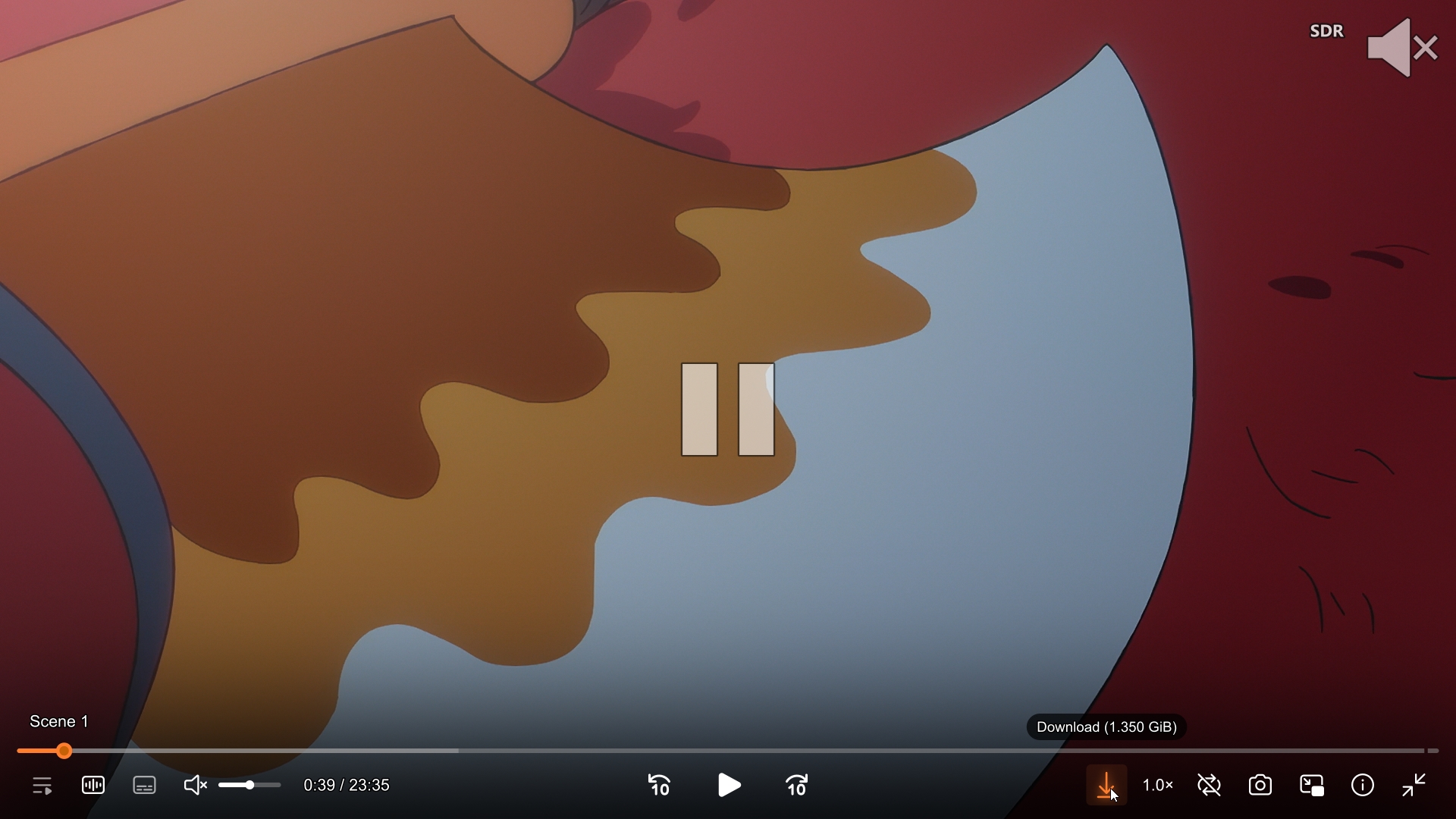
Fluent vector icons, dark translucent seekbar, action-based interactive triggers (YouTube/VLC standard), granular playback speed controls (gradual +0.25× on left-click up to 5× max, immediate 1× reset on right-click), and minimalist state-based center pause indicator.
Full Unicode support handles curly quotes, apostrophes, and non-ASCII filenames seamlessly.
Enlarge
Color Pipeline
Dynamic HDR / Dolby Vision Format Badge
Announces detected color format (DV, HDR10+, HDR, HLG, SDR) in the top-right corner.
Enlarge
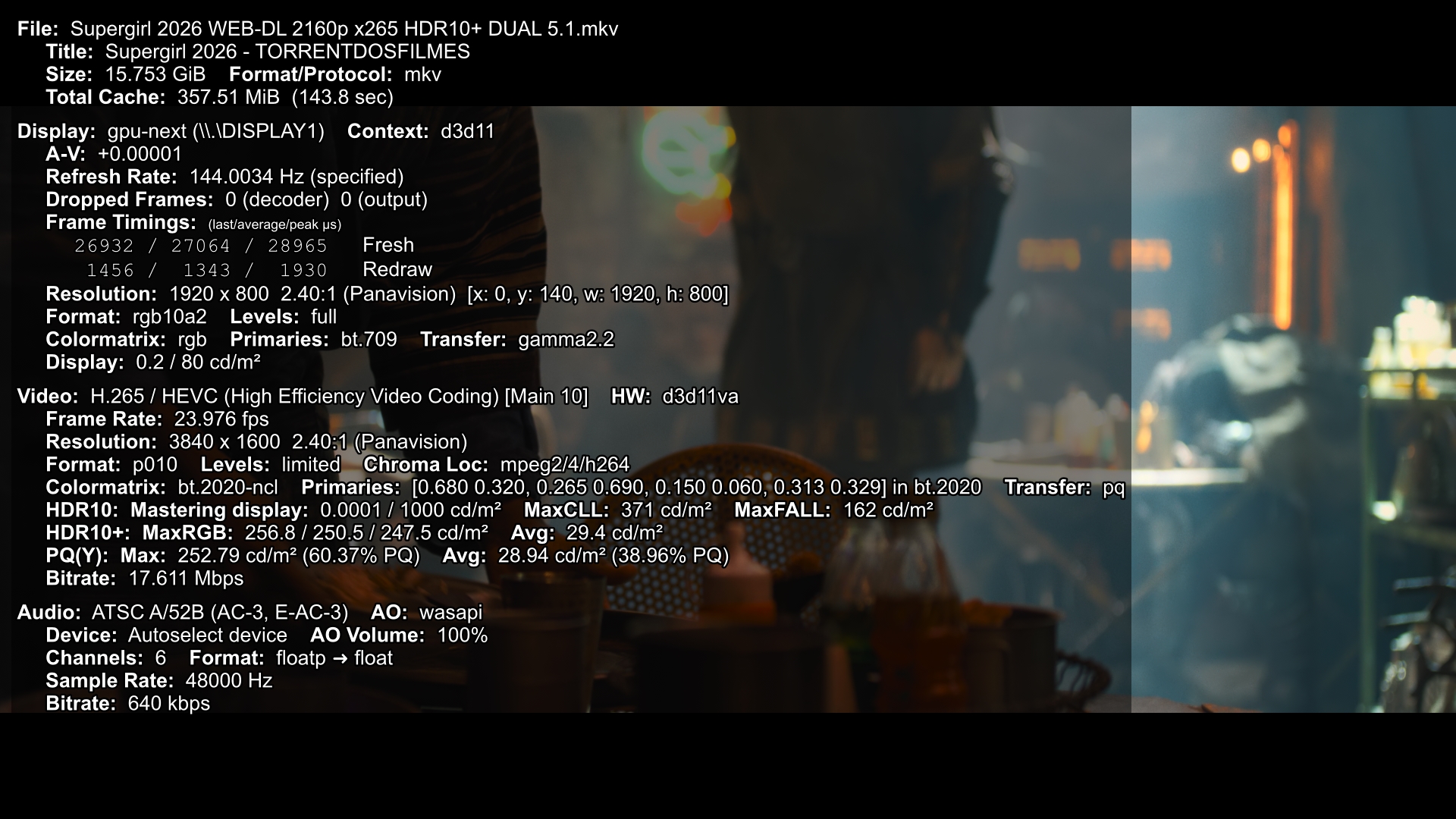
Telemetry
Real-Time Performance & Dropped Frame Stats
Instant monitoring of decoder, framerates, target brightness nits, and cache status.
Enlarge
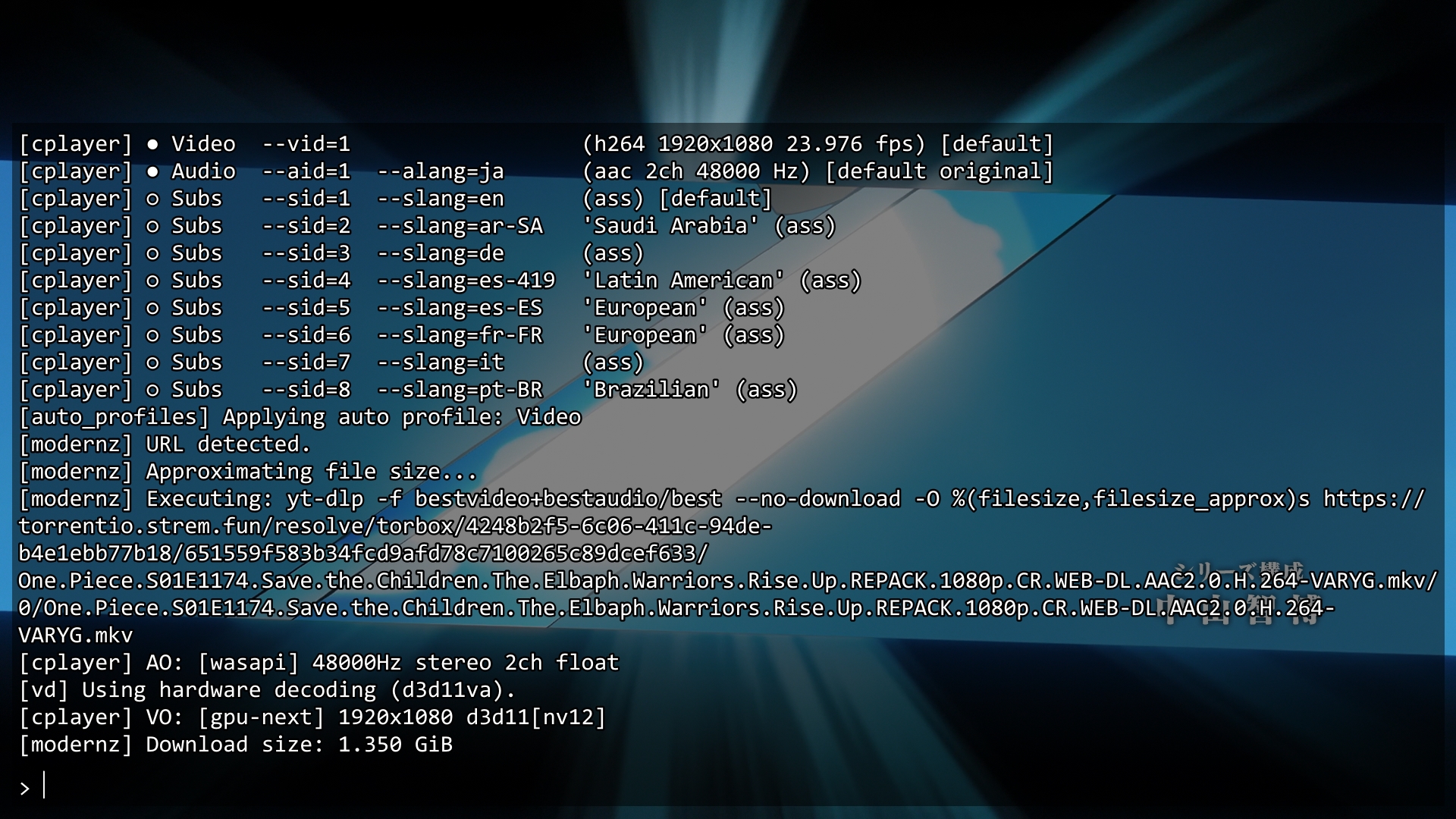
Terminal Console
Interactive Console & Stream Logger
Built-in command prompt to inspect yt-dlp format streams, codecs, and decoder status.
Setup & Deployment
Installation Guide
Follow the simple steps below for your operating system.
Quick Install via winget (Fastest)
Install MPV and yt-dlp with two commands in PowerShell or Windows Terminal. No manual download or extraction needed.
winget install --id shinchiro.mpv
winget install --id yt-dlp.yt-dlp
After installing via winget, continue to Step 1 below to install the configuration. Then move mpv.exe to C:\Program Files\mpv\ for full suite compatibility.
0
Download & Place MPV (zhongfly Build — Used & Recommended)
We actively use and develop with the zhongfly mpv-winbuild releases (x86_64-v3 with modern gpu-next and libplacebo). While both shinchiro (winget) and zhongfly builds work, make sure to check your paths properly: extract and place in C:\Program Files\mpv\ (so that C:\Program Files\mpv\mpv.exe exists), then right-click mpv-register.bat → Run as administrator.
Automated 1-Click Sync & Update via Batch Script (Recommended)
Download or clone this repository and simply double-click Fetch_And_Update_Biraj_MPV_Config_From_Latest_GitHub_Commit.bat. It verifies your mpv installation, creates an automated safety backup, checks the latest commit on GitHub, and synchronizes all files into %APPDATA%\mpv with interactive safety gates.
1
Or Manual Install: Download Configuration Archive
Download the latest configuration zip package and extract its contents.
Features native Apple CoreAudio driver (ao=coreaudio), zero-dependency Cocoa file picker dialogs via built-in AppleScript (Ctrl+O), VideoToolbox hardware acceleration, and in-memory Unix domain sockets for Thumbfast.
Quick Reference
Keyboard & Mouse Controls
Search or filter through all essential playback shortcuts. Note: Uppercase shortcuts (like N, A, K) indicate holding Shift + key.
Shortcut Key
Action & Description
Category
Space
Toggle Play / Pause
Playback
Left Click / Right Click (Speed Button)
Granular Playback Speed: Left-click (or Scroll Up) increases speed gradually by +0.25× (up to 5.0× max); Right-click immediately resets speed to 1.0× (Scroll Down decreases by −0.25×)
Playback
→ / ←
Seek forward / backward 6 seconds (exact with OSD bar, unified with ModernZ <10 / 10> buttons)
Playback
Media Fwd / Media Rew
Seek forward / backward 15 seconds (exact)
Playback
Home
Seek to beginning of media (0s)
Playback
. / ,
Frame-step forward / backward
Playback
n / p
Next / Previous playlist item
Playback
k
Open interactive playlist selection menu
Playlist
Shift + k (or K)
Sort active playlist in natural alphanumeric ascending order (with OSD feedback)
Playlist
q
Quit mpv (remembers watch history & playback position)
Original author, curator, and maintainer of this configuration suite. Custom developed features and scripts include:
cache_manager.lua — Centralized & segregated cache architecture on C: drive (%LOCALAPPDATA%\mpv\cache\) with dedicated subdirectories for GPU shaders, resume watch history, and hover thumbnails, auto-healing missing folders on startup.
cycle_audio.lua — Zero-lag audio & subtitle engine with intelligent subtitle display toggle (remembers last track, English auto-detection fallback), 0ms visual OSD feedback, two-pass deterministic track matching, 30ms anti-spam debouncing, and seamless GUI menu synchronization.
single_instance.lua — Win32 FFI zero-CPU sleep implementation for the single-instance IPC pipeline, eliminating CPU spin-loops during Windows Explorer multi-select launches.
sort_playlist.lua — High-speed natural ascending video playlist sorter & media filter with precomputed cached keys, 0ms background reordering, and defensive batch safety caps.
hdr_badge.lua, resume_indicator.lua, & pause_notify.lua — Dynamic floating format badge overlay (HDR10+, Dolby Vision, SDR), clean on-screen resume notifications ("Resuming: (14:22 / 24:00)"), and persistent pause OSD notifications ("Paused at hr:min:sec / total time") with event-driven zero-overhead observer architecture, dynamic collision avoidance with multi-line clearance, stats (i) & console (`) auto-suppression, motion isolation, and native bare-metal startup speed.
auto_exit_eof.lua — Graceful auto-exit on media/playlist finish with a 4s grace period, 2s native OSD warning, and instant seek/playback abort safeguards.
UTF-8 Unicode Dialog Fix (open-file.lua) — PowerShell UTF-8 standard output encoding fix to support curly quotes, apostrophes, and accented symbols in media paths.
Windows Context Menu (Windows-Context-Menu/) — Native File Explorer right-click integration ("Play with MPV as a Playlist") for single folders, folder backgrounds, drives, and multi-selected video files.
Engine Architecture & Subtitles — Dynamic RAM fast-seeking cache (250MB local, up to 425MB streaming buffer, zero SSD wear), gpu-next libplacebo tone-mapping pipeline, and tailored 50px high-contrast subtitle typography.
Documentation & Web Experience — Complete responsive documentation website, cheatsheet guides, and user manuals.
Open Source Community
Upstream Projects & Tools
Built upon and integrated with the exceptional work of open-source projects:
mpv by the mpv development team — The core, high-performance media player engine.
mpv-winbuild by zhongfly — Automated Windows git builds with modern gpu-next, libplacebo, and Direct3D11/Vulkan support.
ModernZ by Samillion — Fluent modern On-Screen Controller (OSC) replacement with vector icons.
thumbfast by po5 — Real-time seekbar thumbnail generator.